Version 1.6 · macOS · iPad & iPhone

Simple, Robust show control for Ableton Live.

Built by a working playback engineer. Designed to be simple but effective.

Download free trial

One-time purchase. macOS Catalina 10.15 and up, Intel and Apple Silicon. Ableton Live 10 and up.
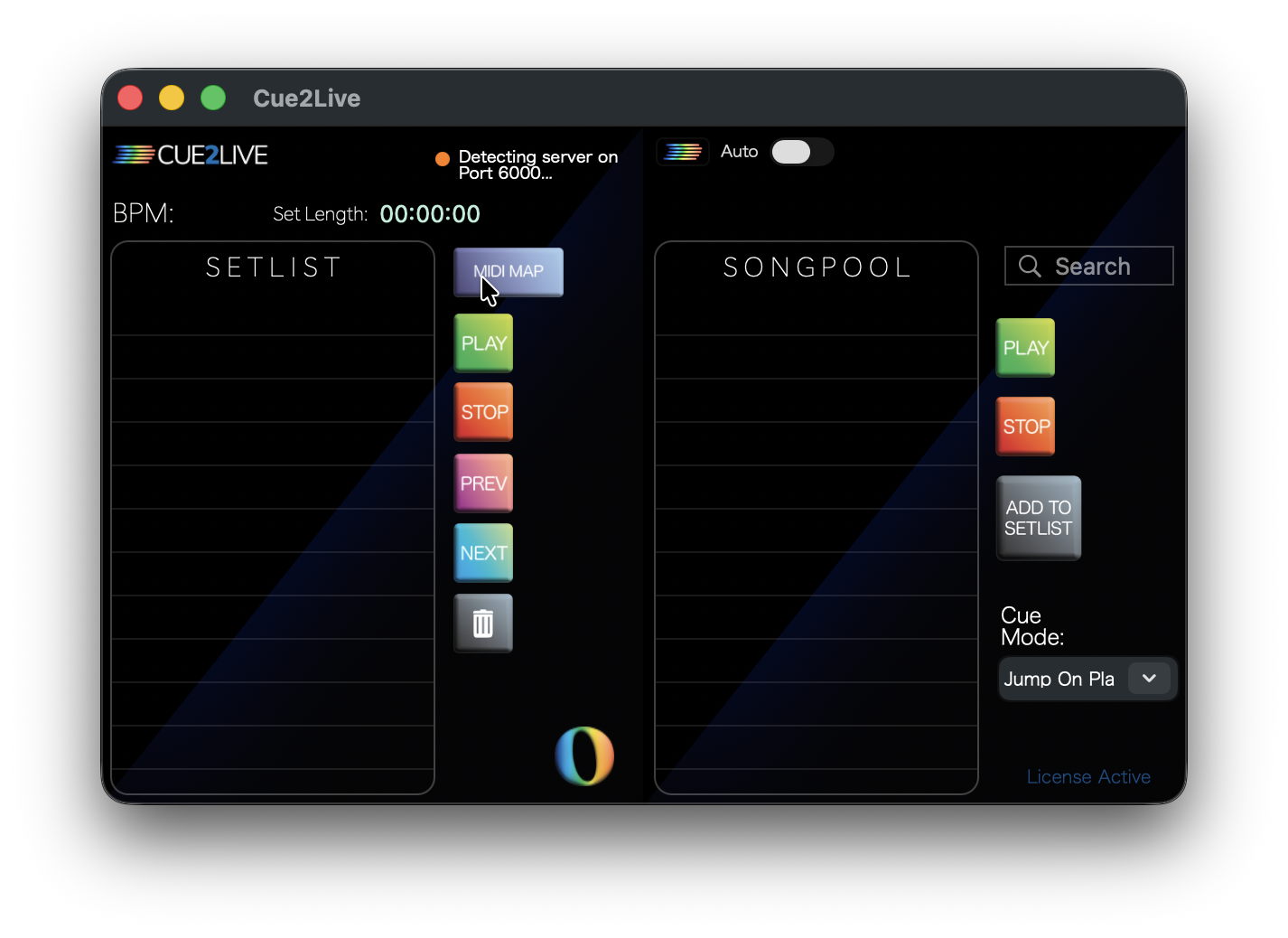
The Cue2Live main window, showing a setlist built from Ableton Live cue points
$40 USD One-time, no subscription
Live 10+ Via Ableton Remote Scripts
macOS 10.15+ Intel and Apple Silicon
iOS 16+ iPad and iPhone companion
How it works

1

Install the remote script

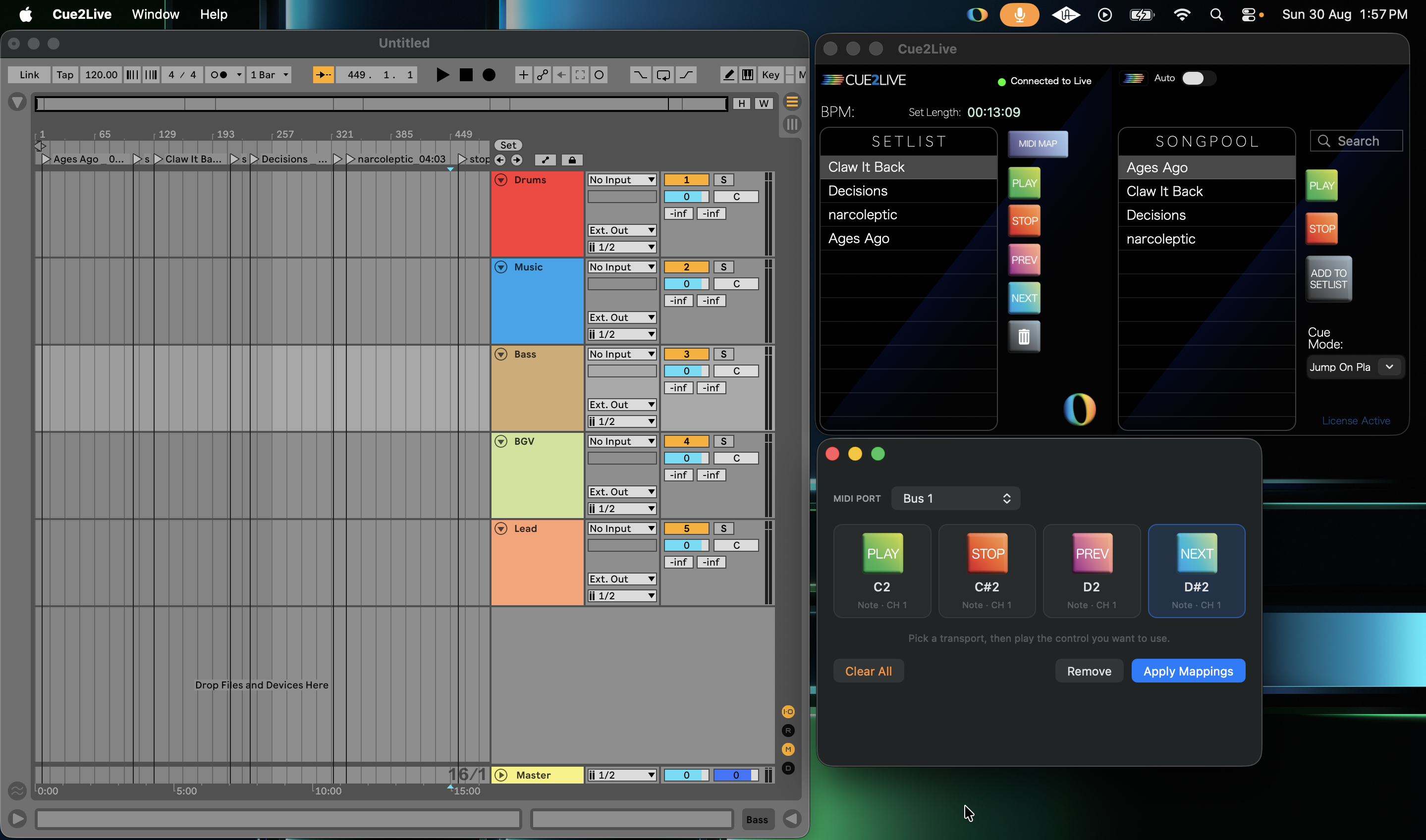
Drop the Cue2Live folder into your Ableton Remote Scripts folder and put the app in /Applications. Cue2Live talks to Live over a local socket — no plugin on your master bus.

2

Name your cue points

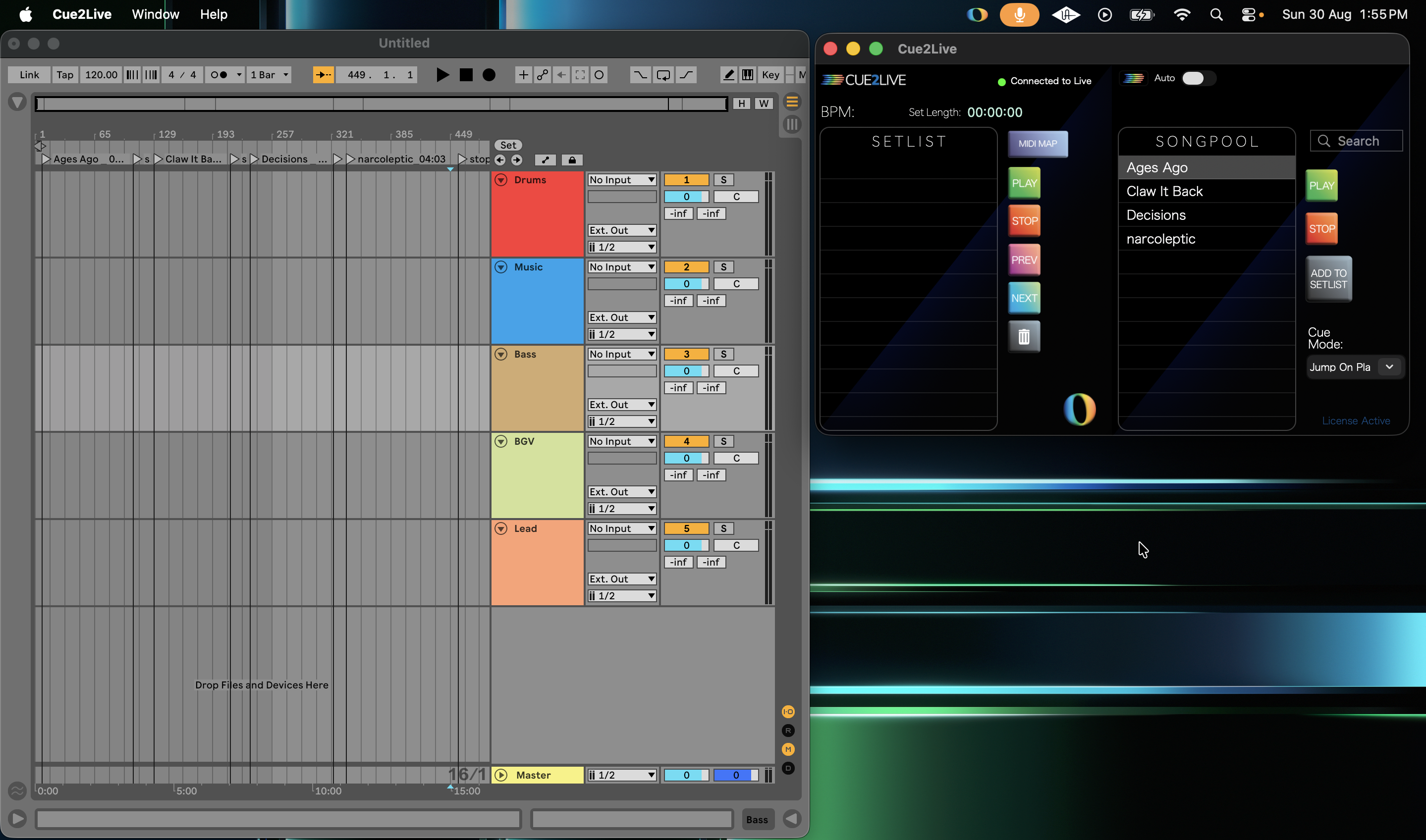
Name each locator with the song and its length. That is the whole format — the setlist builds itself from there.

Glycerine_ 04:26
3

Run the show

Reorder by dragging, search the song pool for an audible, and fire everything from a MIDI controller — mapped in Live, so transport keeps working whether or not the window is in front of you.

Features

Built for utility and reliability.

For a show that stays consistent every night.

Setlists from cue points

Songs and running times come straight out of your locators. Drag to re-arrange between numbers; the play button stays locked to Live's global quantization.

Song pool for audibles

Every song in the set, one search box away. When the band calls something that is not on the printed list, you find it and fire it without scrolling the arrangement.

MIDI control

Assign from the Cue2Live interface, map inside Live. The mapping lives in Ableton's preferences, so transport is never waiting on the app to have focus.

Loops and auto-stops

Mark a locator Loop4 or Loop8 for a fixed vamp, or pair Loop with LoopEnd for a custom one. Name a cue stop and playback stops there.

Two cue modes

Jump on select moves the playhead as you browse. Jump on play leaves it where it is until you commit — so you can look ahead mid-song without touching what is running.

Configurable networking

A local TCP socket to Live on port 6000, changeable from the app if something else on the rig already owns it. No relaunching Ableton to make the change stick.

A look around

cue2live in the cockpit.

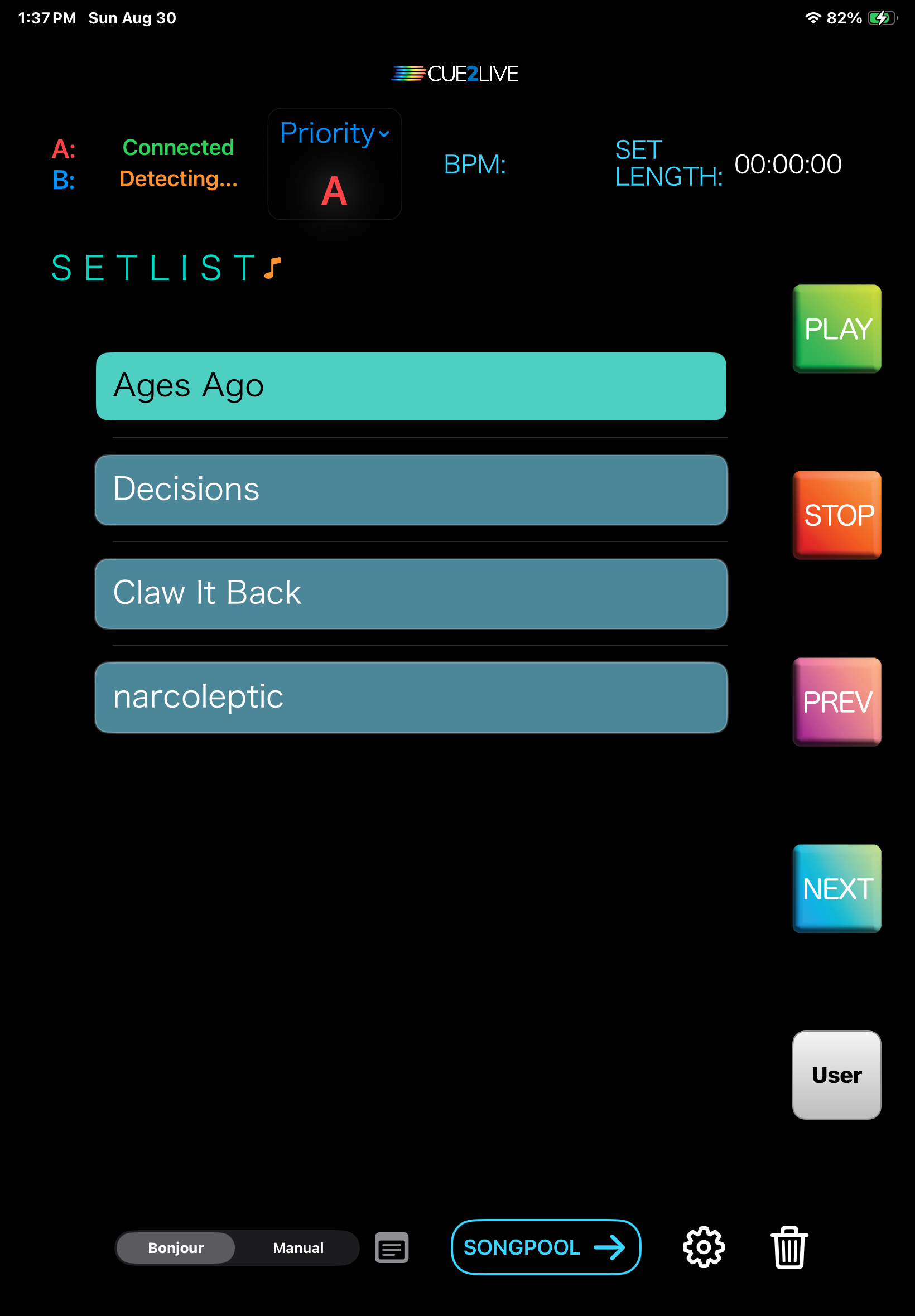
Cue2Live running on iPad, showing the setlist page

Cue2Live iOS

Easy bonjour connectivity, with redundant A/B laptop logic built in.

A powerful companion app for iPad and iPhone that mirrors the macOS app over your local network — so you are not tied to the laptop to see what is coming next.

  • Zero-configuration discovery over Bonjour, or fixed contact cards by IP or .local name.
  • A and B laptops stay mirrored — changes on one show up on the other, and the note turns green when they are in sync.
  • Option to send transport control over the TCP connection via MIDI for tighter control.

Requires Cue2Live 1.6 or later on the Mac.

Also from Effigy Music

Free tools.

BarBuilder Free

A Max for Live utility that generates sequentially numbered MIDI bars on the selected track, for keeping long arrangements organised.

Effigy LTC Reader Free

Reads incoming linear timecode and exposes it to your session, so the rig can follow an external timecode source. VST3 and AU on macOS, VST3 on Windows.

Cue2Live 1.6

$40 USD

One-time purchase. Your license key is emailed on checkout, and will be valid for both your A and B laptop.

  • Fully featured trial before you buy
  • Includes the iOS Bridge helper

The trial is the full application. Playback stops every 30 seconds until a license key is entered.

Questions

Before you buy.

No. Cue2Live is macOS only — Catalina 10.15 and up, Intel and Apple Silicon — and works with Ableton Live 10 and up.

None, except one: the trial is the full application, but playback stops every 30 seconds until you enter a license key. Everything else — setlists, MIDI mapping, the iOS app — works so you can test it against a real session first.

Through Ableton's Remote Scripts API, over a local TCP socket. The app will put remote script files where they need to be on first open. Full steps are in the documentation.

Yes. Cue2Live iOS is available on the App Store for $4.99 — it needs Cue2Live 1.6 or later on the Mac and iOS 16 or later on the device.

Still deciding? Email support@Cue2Live.com.